14 October 2012

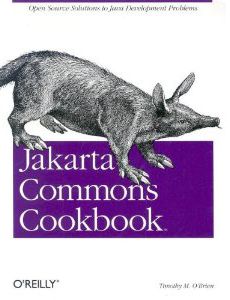
Jakarta Commons Cookbook

This summer I finished reading the Jakarta Commons Cookbook. I bought it several years ago and it was sitting on my shelf since then. It survived the last "spring cleaning" when I gave away most of my books to the local Java user group, regardless if I had read them or not. I was not very enthusiastic about it, but felt the need to read it as it covers some of the most important Java libraries available today - the Apache Commons.

Jakarta Commons Cookbook coverReview
Timothy chose a way to organize the book around common tasks, so the book is in the usual cookbook/recipes style. To me the cookbook style is rather verbose and there are many examples on minute details which make the book suitable for beginners. If you are experienced and have used Apache Commons before, the book is a quick read.

Although the book covers a lot of material, it is just a glimpse of the whole Apache Commons universe. An extensive description of all the Commons projects is impossible so squeeze into a book. Still Timothy wrote about the most important projects like Lang, Collections, IO, Math as well as about some Apache top-level projects like Velocity and Lucene.

The cookbook has been published in 2004 and shows its age. A few Apache projects described in it have retired in the meantime and some parts of the shown APIs are deprecated. Still only a few changes were needed to compile all examples against the newest versions of Commons libraries. So the content in the book is still relevant.

Examples
I wanted to keep all the source code of the book as a quick reference and as a source to copy from. Unfortunately O'Reilly did not provide the code for download or I just did not find it. So I extracted the code samples and expected output from the eBook based on their markup. My script parsed the eBook and saved the Java examples into packages derived from the chapter names and classes derived from the section names. It added a main method and appended the expected output as a comment after the code. For example the extracted code for recipe 1.11 about finding items in an array looked like that
package com.discursive.jccook.supplements;

import org.apache.commons.lang.ArrayUtils;

public class FindingItemsInArray {

   public static void main(String[] args) {
      String[] stringArray = { "Red", "Orange", "Blue", "Brown", "Red" };

      boolean containsBlue = ArrayUtils.contains(stringArray, "Blue");
      int indexOfRed = ArrayUtils.indexOf(stringArray, "Red");
      int lastIndexOfRed = ArrayUtils.lastIndexOf(stringArray, "Red");

      System.out.println("Array contains 'Blue'? " + containsBlue);
      System.out.println("Index of 'Red'? " + indexOfRed);
      System.out.println("Last Index of 'Red'? " + lastIndexOfRed);
   }

   // Array contains 'Blue'? true
   // Index of 'Red'? 0
   // Last Index of 'Red'? 4

}
And then I went overboard with this little project. For a week I worked to have all examples compile and run. This was hard work because the examples contained many syntax errors like missing semicolons or typos in variable names. These mistakes were no problem for human readers, but the compiler complained a lot. For some examples I had to second guess the code not shown, e.g. used Java beans or factory methods which had been omitted for brevity. In hindsight it was a stupid idea, but after successfully cleaning up more than half of the examples, I just had to finish the work. Remember, I am a completionist ;-)

In the end I won and now all the examples are mine! I would like to share them with you, but O'Reilly does not allow that. The examples are distributed under some special "fair use" license that prohibits "reproducing a significant portion of the code".

6 October 2012

Design Lessons

ClassroomJust finished my weekly cycle workout. As usual I watched a presentation, this time it happened to be Deep Design Lessons by Michael "Legacy Code" Feathers, recorded at NDC Oslo 2012. In this talk he outlines some of the gems that he feels are less understood today. You really need to see this. There is so much to learn from his few slides. Now go, watch it! (Thanks to Claus for sending me the link.)

When writing about talks by Michael Feathers, I always need to mention my all-time favourite Deep Synergy Between Testability and Good Design. I am repeating myself, but I highly recommend watching it. It is an excellent talk examining the relationship among test-pains, code smells and design principles.

If you want to follow what I watch, here are the presentations I liked.

11 August 2012

Remote Pair Practice

Deep in my notes of past conferences I keep a quote that says Writing code together is the only true way that programmers communicate. Even if you do not agree, pair programming is still a great way to share with one another. Whenever I program in a pair, I learn a lot. Unfortunately I have a very little opportunity to do so as my team is distributed around the globe. After attending a Test Driven Development workshop at this year's GeeCON I decided to do something about it.

Pair Programming for AilurophilesSchedule
I plan for a pair coding activity each week. This seems like a good target to aim for. To free one or two hours each week for deliberate practice should be possible for everybody. Unfortunately I do not reach my target because I might be busy, might still look for a pair or my pair might be busy as well. In the past I only managed to participate in a pairing session twice a month. By writing this post I hope to save time on explaining and to improve the frequency of my pair programming. I found it better to schedule throughout the day instead of the evening. It also seems easier to find a suitable time at work days instead of weekends. Keeping away from evenings and weekends helps because there are still people with some private life ;-). An appointment at a fixed day and time is an option when pairing with the same person again and again, but to meet with different people, one has to be flexible. I do not care for the time as long as it is somewhere in my (European) time zone. To find suitable times in advance I use Doodle.

Pair Programming
A lot of people are afraid of pair programming because they never did it. To get started you should read James Shore's description of Pair Programming from his book The Art of Agile Development. There is even a short summary consisting of 99 words for the people who do not have time to read. In the end the rules how to behave during pair programming, are about practising everyday civility, because all I really need to know about pair programming I learned in Kindergarten. So be especially courteous. Pair programming teaches us to collaborate. I recommend watching Angela Harms' presentation about the (social) anti patterns in pair programming, Does pair programming have to suck? Note that pair programming may be difficult and uncomfortable for the first few times.

Get-Together
Obviously we have to meet in order to pair. In the past I managed a few times to meet during lunch breaks and have a short pairing session, much like Code & Coffee. Now I always bring my laptop when I meet my friends for lunch, maybe he is interested in a spontaneous pairing session while eating?

Remote Setup
Meeting in person is preferable but not always possible. Remote pairing is mainly about the additional tooling and all rules from regular pairing apply as well. My friend Thomas wrote a good post about Pair Programing from which I took all the material of this section. We use Skype to talk and TeamViewer to share our screens. It helps to have Skype contacts exchanged in advance so one can start the remote session by sending a chat message to the other one. As soon as the line is established we discuss who will host the session. A good headset is recommended, otherwise the voice quality is poor.

Then the host starts his TeamViewer and sends his TeamViewer id in Skype. I never had any problems with TeamViewer and it works great, even when connecting Windows and Mac machines. TeamViewer is a commercial tool but free for non-commercial use. A pairing session is definitely for educational purposes, so I do not see any problems with the license. After connecting I recommend changing the resolution of the host machine to the maximum resolution supported by the client. As a client I use TeamViewer's options View > Original and and View > Full Screen to get rid of all these scroll bars. If I have an additional screen I put the Skype window and a browser window there, if I want to look something up quickly. This setup is much like Level Four Pair-adise, except that it is remote.

It happens that I would like to scribble something on a white board. There is a nice Web Whiteboard, which allows drawing and shared editing. It is as simple as a real white board. If you need something more advanced, create a new Scribble in Google Docs which allows shared editing as well. All these and even more advanced topics of remote pairing are discussed by Joe Moore in his excellent talk about Remote Pair Programming: People and Technology.

A pairCode Kata
An educational pairing session looks much like a Coderetreat. We might do a code kata or whatever coding problem seems adequate to work on. A code kata is an exercise in programming which helps a programmer improve his or her skills through practice and repetition. When I meet someone new, I do not impose any special rules. We would just work on a kata, preferably one that we both know, using ping-pong styled Test Driven Development. Todd Sedano compiled a list of code katas sorted by how easy it is to apply TDD. Fizz Buzz and Prime Factors are too short, but all other katas beginning with String Calculator are suitable. In fact the size of the kata does not matter, because it is not about finishing, it is about improving.

The choice of programming language is not important to me. Although my primary language is Java, I have done katas in Ruby, Scala, JavaScript and C# as well as some other, less common languages. After choosing the kata, the language and the development environment to use, we need to agree on the focus of the training session. There are some variations of katas possible, e.g. to use a more functional programming style or not to us any primitives or conditionals, up to the (at least for me) extremely difficult TDD as if you meant it.

With Tomatoes
It happened that we would lose track of the time while focusing on the problem. Later, for example after working on the kata for two hours, we would "wake" up and be totally exhausted. To prevent this, and to create some space for chit-chat, I use the Pomodoro Technique. There is a break of 5 minutes every 25 minutes. I just watch out to stop the Pomodoro with a failing test, so we know where to continue after the break.

Conclusion
As shown my remote pair practice contains everything that is good and holy: pair programming, cool tools like video conferencing and screen sharing, coding, TDD, code katas and Pomodoros. Can you resist?