Showing posts with label FizzBuzz. Show all posts

28 September 2026

Finally Fizz Buzz Turing Machine

Now that our GenAI agents are doing all coding, what does remain for geek fun? I do not mean developing side projects or open source, I mean fiddling with code, tweaking it, exploring constructs like Only Exceptions for Flow Control. Such coding activities used to be practice or learning. What is their use now? At least they are entertaining (me). I use the tag Coding Fun to mark ideas of educational entertaining hobby coding.

Back to the Turing Machine
One of these ideas was to create Fizz Buzz on a Turing Machine (abbreviated TM) - you know, the thing with the tape of zeroes and ones. Last summer I created its building blocks, i.e. symbols, Tape, TuringMachine and TransitionTable classes. These parts built an Universal Turing Machine (abbreviated UTM), which ran any concrete TM. On top I added transition tables for the basic structures required by Fizz Bizz, e.g. numbers (encoded as binary) and operations to INC and compare them. Inspired (or biased) by assembly, I unknowingly recreated a Von Neumann architecture where some part of the tape contained the program code, specific symbols for each operation, and another part contained the working memory. Now I had a machine on top of a machine.

valves (licensed CC BY-NC-ND by thepismire)Arithmetic
The best part about "Entertainment Coding" is that you can stop whenever you want. I often stop when I have proven my idea. I pass on filling in all the details. And there are a lot of details to fill in for a Turing complete assembly - which I need for Fizz Bizz. The numbers are encoded as their bits. Moving the data cursor right or left one number needs only a few states and transitions. Increment's (INC) transition table, shown in the previous article, has around 8 lines. Decrement is the same. Comparing two numbers for being less-than or being equal-to needs 28 lines and duplicating a number to the next space on the right has already 34 lines. The number of state transitions grows with the number of cells involved (e.g. Which bit is this?), overflow (e.g. Do I have to add 1 to the bit because of the previous operation?) and number of operands (e.g. Do I have to move right to continue?). Adding or subtracting two numbers is the same flow, with more moving the read-write head and keeping the overflow. It is possible and much work, so skip it.

Flow Control
What about flow control? For Fizz Buzz I need two kinds of flow control:
  1. A conditional to check if a number is equal another number. If they are equal, the following code is run, else the code is skipped. Skipping next instructions is a jump forward towards the end of the "if body", defined by the symbol ';'. (Why use a semicolon? I do not know, probably I did too much Java in my life ;-) Luckily I only need to check if a number is equal to 0, which is much simpler than comparing to an arbitrary number.
  2. For looping - at the end of the loop - I need to check if a number is smaller than another number. This is like point 1 above. Then jump back to the beginning. This is a jump backwards to the start of the "loop body". I need a GOTO and a loop label as target to do this.
This is a minimalist design. It has no else branch, nested conditionals or nested loops. It models the required control flow for Fizz Buzz:
'L' ... start of the loop
   'i' ... current += 1

   'z' ... if (current % 15) == 0 then
      // write "FizzBuzz"
      'g' ... continue
   ';' ... end if

   // similar block for 3
   // similar block for 5

   // write current as string

   '<' ... if current < 100 then
      'g' ... continue
   ';' ... end if

'h' ... halt program
Because I miss else the body of each if must end the loop prematurely - in some programming languages called continue. Thus the last if checks the loop exit, i.e. the upper limit, e.g. 100. The last number must not be Fizz nor Buzz nor FizzBuzz.

Time for some low level details: Here is the transition table of GOTO:

Step state symbolnewStatenewSymboldirection
(1) Ip_SwitchRight 'g'Ip_Goto same L
(2) Ip_Goto 'P'same same L
(3) Ip_Goto 'h' Ip_GotoRightHalt'P'R
 Ip_GotoRightHalt'P'Ip_Goto 'h' L
 Ip_Goto 'd'Ip_GotoRightDup'P' R
 Ip_GotoRightDup 'P'Ip_Goto 'd' L
 Ip_Goto 'i'Ip_GotoRightInc'P' R
 Ip_GotoRightInc 'P'Ip_Goto 'i' L
 Ip_Goto 'r'Ip_GotoRightRightMove'P'R
 Ip_GotoRightRightMove'P'Ip_Goto'r' L
 Ip_Goto 'l'Ip_GotoRightLeftMove'P'R
 Ip_GotoRightLeftMove'P'Ip_Goto'l' L
 Ip_Goto '='Ip_GotoRightEqual'P'R
 Ip_GotoRightEqual'P'Ip_Goto '=' L
 Ip_Goto '<'Ip_GotoRightLess'P'R
 Ip_GotoRightLess'P'Ip_Goto '<' L
 Ip_Goto ';'Ip_GotoRightEqualEnd'P'R
 Ip_GotoRightEqualEnd'P'Ip_Goto';' L
(4) Ip_Goto 'L'Ip_Restart same R

Transition (1) begins the GOTO states. Transition (2) starts moving left and skips the instruction pointer. Transition (3) moves the instruction pointer along each and every skipped instruction. Whenever I add a new instruction I have to update conditional and loop code, which is boring. (4) Goto's state transitions finish when it sees the symbol 'L'. Then the instruction process restarts with state Ip_Restart by looking at the next instruction right of the instruction pointer.

The Whole "Language"
Till now I created the following symbols:

symbol memory meaning
'0'/'1'data a bit of a number.
'$' data separator of a number or memory slot - a "byte" if you like.
'C' data data Cursor marking the current number on its right.
'P' code instruction Pointer left of the next instruction.
'h' instructionhalt, stop the TM.
'l'/'r'instructionmove the cursor one number to the left or right.
'i' instructionincrement the current number by one and move cursor right.
'e' instructiondecrement the current number.
'd' instructionduplicate current number to the right.
'3' instructionwrite the digits of 3 into the current number.
'<' instructionjump to end of block if current is not < next number.
'=' instructionjump to end of block if current is not = next number.
'z' instructionjump to end of block if current number is not 0.
';' label mark the end of the (conditional) block.
'g' instructionjump backwards (moving 'P' left) until the label 'L'.
'L' label Loop label for goto (backwards) jump.

Apples in tarpits (licensed CC BY-NC-ND by Pay No Mind)Instruction '3' is special, as would be '5' and 15. Data values are on the tape and copied around. It might save me some hassle if I can write arbitrary numbers programmatically. Then d3ll%lz...;lll would be the code to check for multiplies of 3 - if I had '%'. All my programs (till now) will match the regular expression P[hdierl3=<z;gL]+C([01]{7}\\$)*.

I need modulo ('%'), which extends subtraction (which extends decrement). Modulo is hard, too complicated for me to write it as state transitions. I could write a macro, i.e. separate code that gets executed whenever the UTM reads a '%'. This would be like Microcode of modern CPUs. Or I could create subroutines. If I avoid nesting them, a single instruction pointer symbol, e.g. 'R', as return address would be sufficient. For example, when the UTM reads 's', it writes the 'R' instead of the 'P'. Then it searches right for 'S' which is the label to start the subroutine and executes until it reads 'r' for return. On 'r' the instruction pointer goes back to 'R'. Four new symbol 'srSR' (2 instructions, 1 label, 1 pointer). Regular program flow can never see 'S' or 'R' and I omit adding them to if or goto. The 's' might be inside a loop or conditional. The 's' and 'r' are gotos looking in specific directions for specific labels, nothing conceptionally new.

The "Actual" Program
I have enough of this. This is a Turing Tarpit, a (esoteric) programming language that is universal but impractical and difficult because it offers no support for common tasks. [...] Using such a language is a form of mathematical recreation. Yes I can finish Fizz Buzz, but it is no fun. To conclude, here is my final piece of code to create the numbers from 1 to 16 on the tape:
P
Lrdllldlil<lg;   // loop creating numbers
i                // fix last element
llllllllllllllll // go back all = "l" * limit
hC
0000001$         // from 1
0001111$         // to limit - 1
I hope you had fun following me on my quest. The whole TM, UTM and transition logic is on my Git. I now appreciate how high level assembly is.

9 December 2024

Installing Io Addons

Io is an interesting programming language. I had not planned to learn a new language in 2024. Then, in a quiet moment, I reached for Seven Languages in Seven Weeks by Bruce Tate. It is an older book, published in 2010 and I know some of the languages described there. I like studying programming languages. Playing with basic concepts without the need to finish larger tasks is relaxing. It should be an easy read.

Mustache Prototypes (licensed CC BY-NC by Bre Pettis)The Io Language
Io "is a dynamic prototype-based programming language." It seems more or less dead since 2010, basically since the book mentions it. Its site states "actively developed until 2008". While there are a few updates from last year, the latest available build for Windows dates to 4th of December 2013, more than ten years ago. Much of Io is written in C and one should be able to build it from source using cmake. While I like the retro character of plain C, similar to old Pascal, I am un-experienced in the C ecosystem. I am using Windows and building C has been proven to be a hassle due to dependencies and compiler inconsistencies. So I went with the provided Windows build.

Io is prototype based, like JavaScript and looks different than your usual C-styled languages. The core library iovm comes with a unit testing framework. The UnitTest is an old-school xUnit, e.g.
FizzBuzzTest := UnitTest clone do (

  setUp := method(
    super(setUp)
    self fizzbuzz := FizzBuzz clone
  )

  // ...

  testFizz := method(
    result := fizzbuzz single(3)
    assertEquals("Fizz", result)
  )

  // ...

  testTo5 := method(
    result := fizzbuzz upto(5)
    assertEquals(list("1", "2", "Fizz", "4", "Buzz"), result)
  )

)
The corresponding Fizz Buzz is
FizzBuzz := Object clone do (

  single := method(n,
    if (n % (3 * 5) == 0, "FizzBuzz",
      if (n % 5 == 0, "Buzz",
        if (n % 3 == 0, "Fizz",
          n asString)))
  )

  upto := method(limit,
    Range 1 to(limit) map(n, single(n))
  )
)
This could be written more concise, but such was my first Io code. I should probably do a Prime Factors, too. It seems that I am obsessed with unit tests, as it is usually the first thing I look for in a new language, e.g. Scheme or Assembly. If you want to know more about Io, read the guide or the second chapter of Seven Languages in Seven Weeks. While the language is dormant, it will change the way you see programs - exactly as Bruce promises.

Io Addons
The Io distribution contain a bunch of extensions collected under the IoLanguage GitHub organisation. Many extensions are wrappers around well tested C libraries, but these "may not be installed on your system already." And this is probably the reason why the Windows distribution only contains 28 out of the 80+ available addons. While I ignore MySQL or graphics library wrappers, basic functions like socket communication or regular expressions would be nice. There is Eerie, the Io package manager, which should be able to deal with compiling addons, but its installation fails on my system - because of a dependency that needs a missing C library (recursion ;-). Then I try to add addons manually. It is the main purpose of this post to explain how it can be done.

Let me start with some general structure of Io addons: Installed or bundled addons are located in %IO_HOME%\​lib\​io\​addons and share the same folder structure as expected by Io's AddonLoader. Assume an addon named Foo, then the following folders and files (could) exist:
  • _build: Several folders with the build results of C code, mostly empty.
  • _build\dll\libIoFoo.dll and libIoFoo.dll.a: Compiled C code, its dynamic library and GCC import library file.
  • _build\headers: Empty for bundled addons, but should contain the C headers of exported functions, i.e. the Io*.h files from source.
  • bin: Starter scripts for addons which are command line tools. e.g. Kano.
  • io\*.io: Main Io source code, i.e. new prototypes. There is at least a Foo.io.
  • samples\*.io: Optional sample code.
  • source\*.c|h: C source code, at least IoFooInit.c. The empty folder must exist.
  • tests\correctness\run.io and one or more *Test.io: Unit tests, the run.io runs all tests in the current folder.
  • tests\performance\*.io: Optional performance tests, sometimes with run.io.
  • depends file: a list of other prototypes (or addons) this addon depends on.
  • protos file: a list of all prototypes this addon provides.
Addons are activated in Io by using the prototype with the name of the addon. In an Io REPL or script, Foo will find the addon and import it making all its prototypes available. This works for all provided prototypes given the manifest (i.e. the protos file) is correct.

Io Package Management: Eerie
While working with the different types of addons, see this and the next article, I seem to have reverse engineered much of Io's build and package infrastructure ;-). Knowing about it upfront would have helped. Eerie is the package manager for Io. Unfortunately its installation failed on my system - and it seemed way too complicated for me because it created multiple environments, much like Python's virtualenv. Its documentation is "coming soon", and not helping. Some addons on GitHub are Eerie packages and miss necessary files like protos. While sometimes these files are still there - an oversight as it seems, Eerie packages contain other files:
  • package.json is the Eerie manifest. It contains the description of the package and its dependencies. This file is useful.
  • eerie.json is some kind of manifest, used in the Eerie Package Storage Database. Only two addons have it and the database is empty.
  • build.io will "rewrite AddonBuilder to represent a receipt for your package." Most addons have this and it contains information about needed native libraries and transitive dependencies.
It seems that Eerie's PackageInstaller extractDataFromPackageJson() method creates the protos, depends and build.io files from package.json. I will have to do this by hand. Unfortunately some package.json are incomplete and some miss important information.

Now I explain the installation of several addons with different needs and increasing difficulty using concrete examples:

Addon (licensed CC BY-NC by Giacomo)Addons without Any Native Code: Kano
There are some addons without any C source, e.g. CGI, Continued​Fraction, Rational and integrations like Bitly, Facebook, etc. All of these are included in the distribution. When looking for addons, I checked all addon repositories for ones without native code and found Docio, Eerie and Kano. I guess these were left out because they are part of Eerie. Let's look at Kano. Kano is a simple Make/​Rake inspired tool for Io. It uses a Kanofile to declare tasks. Let's get it running:
> cd "%IO_HOME%\lib\io\addons"
> git clone https://github.com/IoLanguage/kano
Cloning into 'kano'...
> io -e "Kano println"
Exception: Object does not respond to 'kano'
This is broken. io -e "<expression>" runs Io and passes the command, much like Ruby does. Passing the prototype name asks Io to load it and it is not found. By Io convention prototypes start with an uppercase letter while instances (and fields and variables) start with a lowercase one. Somewhere (in the source of Importer maybe) I read that the names must match for importing. Also this is one of only three repositories which lowercase name, i.e. docio, eerie and kano. Tip: Watch out for addon repository names matching the primary prototype.
> ren kano Kano
> io -e "Kano println"
Exception: unable to read file '...\lib\io\addons\Kano\depends'
Ah progress. It is missing the depends and protos files I mentioned earlier. It has a package.json instead:
{
  "version": 0.1,
  "author": "Josip Lisec",
  "description": "Rake-like utility for Io.",
  "readme": "README.textile",
  "category": "Utility",
  "dependencies": { },
  "protos": ["Kano", "Namespace", "Namespaces", "ObjectDescriber"]
}
No dependencies and four prototypes.
> touch Kano\depends
> echo Kano Namespace Namespaces ObjectDescriber > Kano\protos
> io -e "Kano println"
Exception: Unable to open directory ...\lib\io\addons\Kano\source
Progress again but why does Io look for C sources? In some addons, I see an empty source folder with a .gitisdumb file in it, to keep the folder in version control. Maybe it is needed.
> mkdir Kano\source
> io -e "Kano supportedFiles println"
list(make.io, Kanofile, kanofile, Kanofile.io, kanofile.io)
Nice, no error. Kano works. To be fully useable, there are a few more things to fix:
  1. Kano is a tool, it comes with bin/kano starter script. Each starter script needs a Windows version, i.e. a bin/kano.bat which calls the original starter script,
    io "%IO_HOME%\lib\io\addons\Kano\bin\kano" %*
    And both scripts need to be in the PATH. The easiest way is to copy kano.bat to %IO_HOME%\bin, which contains io.exe.

  2. Kano offers kano [-T|V|help|ns] [namespace:]taskName arg1 arg2... as help. -T lists all tasks defined in the local Kanofile and -V shows its version. At least it tries to do that. It calls Eerie to get its version. Now Eerie depends on Kano and Kano depends on Eerie, and I do not have Eerie, this is all bad. If you want everything to work, you can replace line 44 in Kano's Namespaces.io:
     V := option(
       """Prints Kano version."""
    -  version := Eerie Env named("_base") packageNamed("Kano") \
                        config at("meta") at("version")
    +  version := File thisSourceFile parentDirectory parentDirectory \
                       at("package.json") contents parseJson at("version")
       ("Kano v" .. version) println)
  3. Much later I noticed that Kano's package.json does not have a name field. This is needed for Docio to generate the documentation. Sigh. (Here is my patched Kano.)
Follow along in part two.

10 March 2024

Programming with Nothing

I like extreme coding constraints. A constraint, also known as an activity, is a challenge during a kata, coding dojo or code retreat designed to help participants think about writing code differently than they would otherwise. Every constraint has a specific learning goal in mind, for example Verbs instead of Nouns. After playing with basic constraints for a long time now, I need more challenging tasks. Combining existing constraints makes things harder: For example Object Callisthenics or my very own Brutal Coding Constraints are way harder than their parts applied individually.

Void (licensed CC BY-NC-ND by Jyotsna Sonawane)Missing Feature Group of Constraints
There is a another group of extreme constraints which I call the Programming With Nothing constraints. They are a subgroup of the Only Use <placeholder> constraints. All of these belong to the Missing Feature group. The well known No If and No Naked Primitives constraints are good examples of Missing Features because we take away a single element that we are so very much used to. Only Use <placeholder> constraints force you to use new constructs instead of something else. For example, Alexandru Bolboaca, the pioneer of Coderetreat in Europe, once mentioned the following constraints to me: Only Bit Operations replaces all arithmetic operations, like plus or multiply, with bit operations and Only Regular Expressions asks you to use Regular Expressions as much as possible. You can get pretty far with Regular Expressions in exercises like Balanced Brackets, Coin Change, Snake or Word Wrap. (Look for the Bonus Round at the bottom of the Word Wrap page.)

Programming With Nothing
But let us get back to Programming With Nothing. The first one of this group, which I came across ten years ago, was presented by Tom Stuart in his 2011 Ru3y Manor talk Programming With Nothing. Tom is taking functional programming to the extreme, only allowing the declaration of lambda expressions and calling them. The exact rules he is following are:
  • Create functions with one argument.
  • Call functions and return a result.
  • Assign functions to names (abbreviate them as constants).
Basically he is using the Lambda Calculus and this constraint is also referred to as Lambda Calculus. His talk is using Ruby, using only Proc.new, no booleans, numbers or strings, no assignments, control flow constructs or standard library. Clearly he is programming with nothing. (Here is the recording of the talk, his slides and the code.) Over the years I have seen similar presentations, even using Java.

The Fizz Buzz Kata
The goal is to implement the Fizz Buzz kata. While Fizz Buzz is very simple, it needs looping integer numbers up to 100, conditionals on integer comparison, integer division and strings. It is very small but not simple. Some people even use it during job interviews - which is controversial. The whole Fizz Buzz is:
for (i = 1; i <= 100; i++) {
  if (i % 3*5 == 0) 
    print("FizzBuzz");
  else if (i % 3 == 0) 
    print("Fizz");
  else if (i % 5 == 0) 
    print("Buzz");
  else 
    print(i);
}
And this is quite a lot if all you have is a lambda. I maintain a starting point for TypeScript, to be used in my workshops. This kind of exercise is fun, at least for me ;-). If you follow the assignment, i.e. work on numbers, then booleans, then pairs etc., you can use Git branches to jump to the next milestone - or take a sneak peak how it could be done.

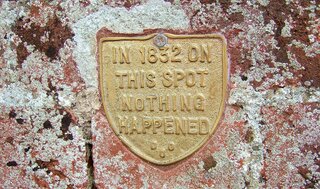
Nothing Happened (licensed CC BY-SA by Henry Burrows)Extreme Object-Orientation
In 2015 I watched John Cinnamond's Extreme Object-Oriented Ruby, which is like Tom Stuart's Programming with Nothing. This version only allowed you to define objects which contain other objects and call the nested object's methods or return them. In his starter repository he described how to simulate booleans, numbers and so on.

Nothing but NAND
Then I tried to write Fizz Buzz only using NAND. This is Programming With Nothing the hardware way. How so? A NAND gate is a logic gate which produces an output which is false only if all its inputs are true; thus its output is complement to that of an AND says Wikipedia. More importantly, the NAND gate is significant because any Boolean function can be implemented by using a combination of NAND gates. This property is called functional completeness.. Because of its functional completeness it should be possible to create arbitrary programs. I started out with a Bit class which had its nand() function implemented and all other code was built on top of this. Numbers, i.e. arrays of bits,
class Numbers {

  static final Byt ZERO = new Byt(OFF, OFF, OFF, OFF, OFF, OFF, OFF, OFF);

  // ...

  static final Byt FIFTEEN = new Byt(ON, ON, ON, ON, OFF, OFF, OFF, OFF);
  static final Byt HUNDRED = new Byt(OFF, OFF, ON, OFF, OFF, ON, ON, OFF);
}
and bitwise logic,
class Logic {

  static Bit eq(Bit a, Bit b) {
    return not(xor(a, b));
  }

  // ...

  static Byt and(Byt a, Byt b) {
    return not(nand(a, b));
  }

  // ...

  static Byt ifThenElse(Bit b, Byt theThen, Byt theElse) {
    Byt condition = Byt.from(b);
    return or(and(condition, theThen), 
              and(not(condition), theElse));
  }
}
were straight forward. Arithmetic was cumbersome due to possible over- and underflows.
class Arithmetic {

  static BitOverflow inc(Bit b) {
    return new BitOverflow(not(b), b);
  }

  static BitOverflow add(Bit a, Bit b) {
    return new BitOverflow(xor(a, b), and(a, b));
  }

  // ...

  static Byt inc(Byt a) {
    BitOverflow r0 = add(a.b0, Bit.ON);
    BitOverflow r1 = add(a.b1, r0.overflow);
    BitOverflow r2 = add(a.b2, r1.overflow);
    BitOverflow r3 = add(a.b3, r2.overflow);
    BitOverflow r4 = add(a.b4, r3.overflow);
    BitOverflow r5 = add(a.b5, r4.overflow);
    BitOverflow r6 = add(a.b6, r5.overflow);
    BitOverflow r7 = add(a.b7, r6.overflow);
    return new Byt(r0.b,r1.b,r2.b,r3.b,r4.b,r5.b,r6.b,r7.b);
  }
}
For loops I added a sequence of bits which worked as the Instruction Pointer. Using the IP and the existing arithmetic operations I implemented goto which I used to jump back during loops. The final code did not look much different than your regular structural code, using functions and mutable data. The exact list of things I used was:
  • Data structures for a single bit, a byte (8 bits) and a series of bytes i.e. memory.
  • Bit nand(Bit other) as the only logic provided.
  • Getting and setting the values of the data structures.
  • Defining functions with multiple statements to create and modify data and call other functions.
  • A map to associate statements with memory addresses indexed by the IP. Was this cheating?
I had played with assembly in the past, which helped me to build my program from NANDs alone. It is a great learning exercise to understand computers' logical components and CPUs. There is even an educational game based on the idea of NAND.

What is Next?
I cannot remember how I ended up there, but next I tried to write Fizz Buzz using a Turing Machine. But this is a story for another time...

8 May 2013

XSLTunit Ant Support

some antsLast year I did the Prime Factors Kata in XSLT. Using XSLTunit I created a test case that applied the template to a number to calculate its prime factors. I focused on the coding problem and ignored the testing infrastructure, calling the XSLT processor from the command line and looking into the generated XML test result to see if any assert had failed. When I felt like playing with XSLT again, I first had to fix the infrastructure and make it ready for Continuous Integration.

Ant Support
CI tools like Jenkins are able to call any script, but my first idea for build automation is always Ant. I have some history with Ant but most likely I use it because I am an old school Java developer ;-). Fortunately Ant has build-in XSLT support which I can use to apply the XSLTunit template.
<property name="test_prefix" value="tst_" />
<property name="test_result_suffix" value=".test_result.xml" />

<!-- apply style to XMLs in suite -->
<xslt basedir="${suite}" destdir="${suite}" style="${suite}/${style}">
  <include name="*.xml" />
  <exclude name="*${test_result_suffix}" />
</xslt>

<!-- apply test -->
<xslt basedir="${suite}" destdir="${suite}" style="${suite}/${test_prefix}${style}"
      extension="${test_result_suffix}">
  <include name="*.xsl" />
  <exclude name="${test_prefix}*.xsl" />
</xslt>

<!-- create readable HTML test report -->
<xslt basedir="${suite}" destdir="${suite}" style="${basedir}/lib/xsltunit_report.xsl">
  <include name="*${test_result_suffix}" />
  <param name="testname" expression="${style}" />
</xslt>
My approach contains a lot of "convention over configuration". For example I assume that each template ${style} is located inside its own folder ${suite}. The given Ant target first transforms sample data with the template under test for manual review, then applies the test case to the template and finally generates a readable report out of the test result. The first and last step is optional but useful during development. In the end the test result is checked for the text "failed" which shows a failed assertion.
<dirname property="suite" file="${testResult}" />
<loadfile property="test_failed" srcFile="${testResult}" />
<fail message="Test ${suite} failed!">
  <condition>
    <contains string="${test_failed}"
              substring="outcome=&quot;failed&quot;" />
  </condition>
</fail>
Testing and checking the result is done for all templates in the source folder ${src} by using <foreach> from Ant-Contrib.
<foreach target="-testFolder" param="foreach">
  <path>
    <fileset dir="${src}">
      <include name="**/*.xsl" />
      <exclude name="**/${test_prefix}*.xsl" />
    </fileset>
  </path>
</foreach>

<foreach target="-verifyResult" param="foreach">
  <path>
    <fileset dir="${src}">
      <include name="**/*${test_result_suffix}" />
    </fileset>
  </path>
</foreach>

FizzBuzz Kata
After the unit tests were executed by Continuous Integration for each commit, I went for some XSLT exercise. Unfortunately adding the Ant support had taken too much of my scheduled learning time and I had to work with the smallest kata available, the FizzBuzz question: Write a program that prints the numbers from 1 to 100. But for multiples of three print "Fizz" instead of the number and for the multiples of five print "Buzz". For numbers which are multiples of both three and five print "FizzBuzz". I wrote the following template by following a few XSLTunit tests.
<xsl:template match="value" mode="fizzbuzz">
  <xsl:choose>
    <xsl:when test="number(current()) mod 15 = 0">FizzBuzz</xsl:when>
    <xsl:when test="number(current()) mod 3 = 0">Fizz</xsl:when>
    <xsl:when test="number(current()) mod 5 = 0">Buzz</xsl:when>
    <xsl:otherwise><xsl:value-of select="." /></xsl:otherwise>
  </xsl:choose>
</xsl:template>
To solve the complete question I applied the template to the values of 1 till 100,
<numbers>
  <number><value>1</value></number>
  <number><value>2</value></number>
  <number><value>3</value></number>
  <number><value>4</value></number>
  ...
  <number><value>100</value></number>
</numbers>
which generated a HTML file with the answer of the FizzBuzz question.
  • for 1 say 1
  • for 2 say 2
  • for 3 say Fizz
  • for 4 say 4
  • ...
  • for 100 say Buzz